Yes. Microsoft lists RAMMap for Windows Vista and later client systems, which includes Windows 10. Download the current v1.63 ZIP from Microsoft's Sysinternals page, extract it to a stable folder, run RAMMap64.exe on a normal 64-bit Intel or AMD PC, use RAMMap64a.exe only on Windows on ARM, and use RAMMap.exe only when Windows explicitly reports a 32-bit operating system. Verify the source and signature before collecting memory evidence.
Does RAMMap work on Windows 10?
RAMMap is a Windows physical-memory usage analyzer from Microsoft Sysinternals. The official page lists Windows Vista and higher for client systems, so Windows 10 falls inside the stated support range. The page also lists Windows Server 2008 and higher for server systems. That compatibility statement tells you the operating-system family is supported; it does not mean every old driver, security policy or virtual-machine configuration will expose every view correctly.
Windows 10 still has several system types in the field. Most Intel and AMD computers run 64-bit Windows, some older machines run 32-bit Windows, and a smaller number of Windows on ARM devices use ARM64. RAMMap uses a separate executable for each architecture. Confirm the system type before launching the program instead of guessing from the computer brand or the age of the installation. This RAMMap Windows 10 guide treats that check as the first compatibility step.
The Windows 10 question is also separate from the question of whether RAMMap can solve a performance problem. RAMMap can show how physical pages are classified, which processes own resident pages and which files are represented in memory. It cannot prove that a cache is harmful, identify every driver allocation by itself or replace a controlled comparison. Use it to classify evidence first.
| Check | What to confirm | Why it matters |
|---|---|---|
| Operating system | Windows 10 client, or a supported Windows Server installation | The Microsoft compatibility statement covers Vista and later clients and Server 2008 and later servers. |
| System type | 32-bit, x64-based or ARM64-based processor | The result determines whether to open RAMMap.exe, RAMMap64.exe or RAMMap64a.exe. |
| Permission | A trusted copy can request elevation | System-wide physical-memory views normally need administrator access. |
| Question | One workload or symptom to reproduce | A written question prevents a single changing number from becoming a diagnosis. |
Download the official RAMMap build for Windows 10
The Microsoft Learn RAMMap page currently shows v1.63, published March 26, 2026. Its Download RAMMap link points to the official Sysinternals host at download.sysinternals.com and the page lists the ZIP as 719 KB. For a RAMMap Windows 10 download, use that page or the direct link from it when you need a fresh copy. The site does not proxy or repackage the archive, so the browser should request the Microsoft-hosted file rather than an installer wrapped by a third-party download manager.
The direct file URL is https://download.sysinternals.com/files/RAMMap.zip. Microsoft also exposes RAMMap through Sysinternals Live, but a downloaded ZIP is easier to archive, hash and compare during a Windows 10 investigation. Save the release date, file size and source URL with your test notes so a later update does not silently change the baseline.
If you prefer a package manager, the exact WinGet package ID is Microsoft.Sysinternals.RAMMap. Run winget install --id Microsoft.Sysinternals.RAMMap --exact from an elevated terminal when your organization allows WinGet. Package-manager installation is convenient, but you should still confirm the package identity and keep the same evidence notes as you would for the ZIP.
- Open the Microsoft page
Check that the page title is RAMMap - Sysinternals, the version is v1.63 and the Download RAMMap link points to download.sysinternals.com.
- Save the ZIP
Keep the 719 KB archive in a controlled download folder. Do not run an executable from an unknown mirror or from a temporary browser cache.
- Record the source
Note the URL, version, date and file size before extracting. This turns a future update into a visible change rather than an unexplained difference.
The official page was checked on November 16, 2026 and still listed v1.63. Recheck the Microsoft page when you publish a new internal procedure; do not infer a newer version from a mirror's filename.
Choose RAMMap.exe, RAMMap64.exe or RAMMap64a.exe
Windows 10 exposes the needed architecture label in Settings under System, About, System type. You can also open System Information and read System Type. The wording is more reliable than the processor brand: an Intel or AMD CPU normally means x64-based Windows, while a Snapdragon or another Windows on ARM device may report ARM64. A 64-bit processor can still run a 32-bit operating system, so check the installed Windows type rather than assuming it.
Use RAMMap64.exe for the normal 64-bit Intel or AMD case. Use RAMMap64a.exe only when Windows reports an ARM64-based system. Use RAMMap.exe for an explicitly 32-bit operating system. The final a in RAMMap64a identifies ARM64; it does not mean a newer edition, a higher-performance mode or a special Windows 10 feature.
If the wrong file does not open, return to the system-type value and the extracted archive. Do not rename executables or download a second mirror as a guess. A clean architecture check is faster and safer than turning an ordinary mismatch into a software-integrity question.
| File | Windows system type | Typical case |
|---|---|---|
| RAMMap64.exe | x64-based processor / 64-bit Windows | Most Intel and AMD Windows 10 PCs. |
| RAMMap64a.exe | ARM64-based processor / Windows on ARM | Qualcomm Snapdragon or another ARM64 Windows 10 device. |
| RAMMap.exe | 32-bit operating system | Older hardware where Settings explicitly says 32-bit operating system. |
| None yet | Unclear system type | Pause and check Settings, System Information or your organization's hardware record. |
Install and launch RAMMap on Windows 10
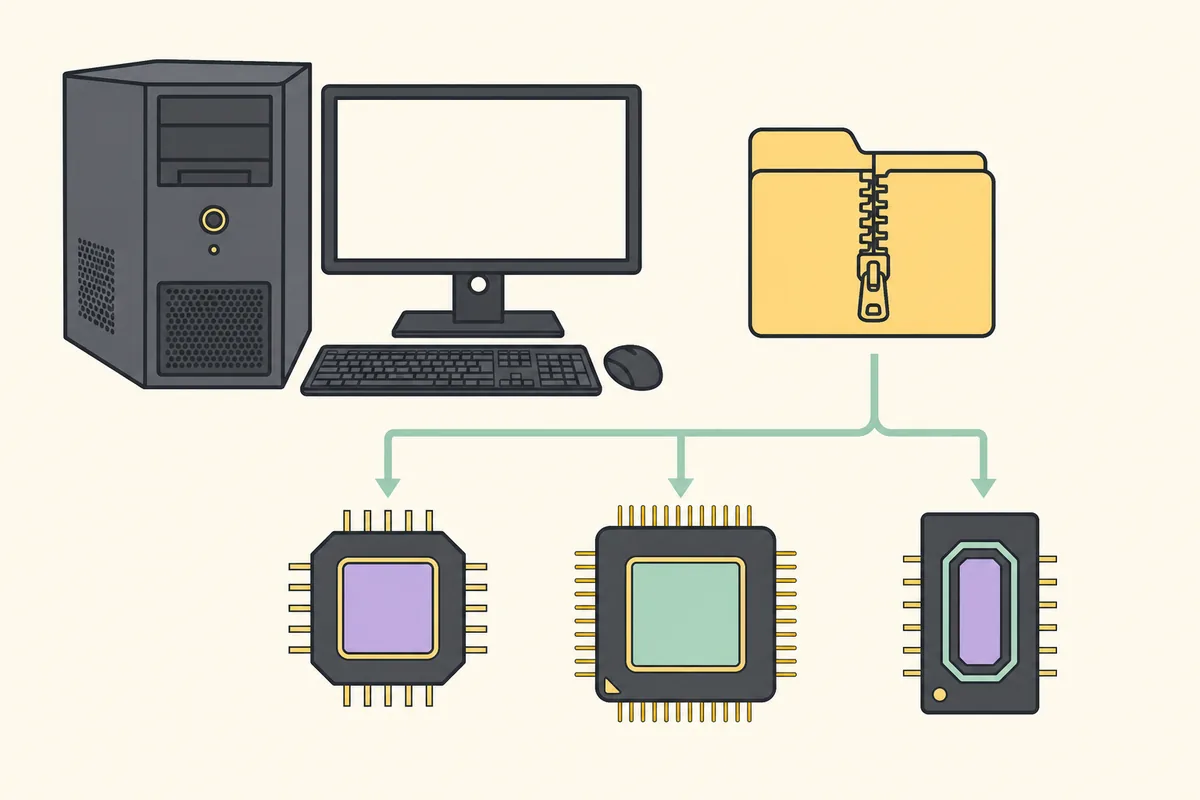
RAMMap is portable, so there is no traditional setup wizard. Extract the ZIP to a normal folder such as a documented tools directory, not a location that is cleaned automatically. Keep the Eula.txt file with the executables and use one stable folder for snapshots. A stable path makes repeat tests and later signature checks easier to reproduce.
Right-click the archive and choose Extract All, or use your organization's approved archive tool. Open the extracted folder and start the executable that matches the system-type table. Windows may display a User Account Control prompt because RAMMap reads system-wide memory information. Check the publisher and source before approving elevation, then accept the Sysinternals license on first launch.
The first display may take longer on a busy machine or a system with a large amount of RAM. Let the view finish instead of repeatedly starting another copy. If RAMMap appears to hang, record the tab, elapsed time and Windows build; the evidence belongs in the troubleshooting path rather than in a random cache-clearing action.
- Extract once
Use a stable folder and keep the license file beside the executables.
- Launch the matching build
Open RAMMap64.exe, RAMMap64a.exe or RAMMap.exe according to System type.
- Approve only after checking
Confirm the Microsoft publisher in the prompt and accept the EULA when Windows asks.
- Save a baseline
Open Use Counts, wait for the first complete display and save a snapshot before changing any list.
Treat the extracted folder like a small diagnostic tool: record its owner, source, version and update path, and remove old copies deliberately instead of leaving several similarly named executables in Downloads.
Verify the ZIP and executable before running it
A Windows 10 compatibility guide should answer two separate questions: can this build run, and is this the copy you intended to run? Start with the URL. The Microsoft Learn page should lead to download.sysinternals.com, not to a repackaged installer, a forced download wrapper or an archive that adds unrelated software. Keep the original ZIP so another person can repeat the check.
For a byte-level check, calculate the SHA256 hash of the ZIP with PowerShell: Get-FileHash .\RAMMap.zip -Algorithm SHA256. Compare the result with the checksum recorded by your trusted release procedure. A hash identifies exact bytes; it does not tell you who signed an executable. Open the extracted file's Properties, choose Digital Signatures and inspect the signer and signature status before launch.
SmartScreen or an elevation prompt is not a substitute for source verification. A warning can reflect download reputation, policy or an unusual transfer path. Stop when the URL, signer, archive contents or version does not match your record. Do not disable security controls merely to make an unfamiliar copy open.
- Source: Microsoft Learn RAMMap page or the download.sysinternals.com link it provides.
- Release: v1.63, published March 26, 2026, 719 KB ZIP at the November 16, 2026 check.
- Integrity: calculate SHA256 for the ZIP and keep the value with the test record.
- Identity: inspect the Microsoft digital signature on the selected executable.
- Escalation: stop and replace the copy when the URL, signature or archive contents disagree.

Read Windows 10 memory evidence without changing it
Start with Use Counts and write down the question you are trying to answer. The Usage column describes why pages exist, while Active, Standby, Modified, Free and Zeroed describe page-list state. A high Standby total can represent useful cache. A high Process Private total points toward resident process pages. Mapped File can be normal file-backed cache. Nonpaged Pool and Driver Locked deserve a different, kernel-oriented investigation when they grow persistently.
Use Processes when the symptom follows one application. Use File Summary or File Details when a large file, database, game archive or virtual disk appears to populate Mapped File. Use Physical Pages for a sampled low-level view only after the broad category is clear; the table can be expensive to refresh and overwhelming without a written filter.
Save a snapshot before the workload and another after the same checkpoint. RAMMap can show a changed state, but it does not automatically prove causation. If a working-set trim makes a number fall, the process may still hold the same committed pages and fault them back in. If Empty Standby List makes free memory rise, Windows may simply reload the same data from storage.
| Observation | First RAMMap view | Next question |
|---|---|---|
| One app grows during a repeatable action | Processes | Does private or shared resident memory return after the action? |
| Mapped File is unexpectedly large | File Summary | Which files and workload produced the cache? |
| Nonpaged Pool rises during device activity | Use Counts | Does the trend persist, and does PoolMon or a counter identify a tag? |
| Windows feels slow after a cache reset | Use Counts plus snapshots | Did the action only force extra reads and hide the original pressure? |
| A detail tab is slow or fails | Use Counts first | Can you capture a smaller, repeatable sample before escalating? |

A repeatable Windows 10 RAMMap workflow
A useful Windows 10 RAMMap run is a small experiment. Define the symptom, record uptime and workload, capture the baseline, change one variable and compare the same fields afterward. Close unrelated applications when practical, but do not create an artificial empty machine if the issue only occurs during a real workload. The goal of a RAMMap Windows 10 workflow is comparable evidence, not the smallest possible RAM number.
Refresh once the workload reaches the checkpoint you wrote down. Save snapshots with timestamps and describe the action between them. If the pattern returns, repeat it before changing drivers, clearing lists or disabling services. A repeatable rise in Process Private, Mapped File or a pool category tells you which next tool is appropriate; a one-time total does not.
Escalate with the evidence you have. Process Private growth may need application profiling. Mapped File may need file, storage or indexing context. Nonpaged Pool or Driver Locked growth may need PoolMon, performance counters, driver versions or a Windows Performance trace. RAMMap narrows the question; it is not a universal leak detector.
- Write the question
Example: does opening the same project make Process Private grow, or does it only fill a reclaimable file cache?
- Capture the baseline
Use Use Counts, note uptime and save a snapshot before the action.
- Reproduce one action
Keep the workload and timing consistent. Avoid several simultaneous changes.
- Refresh and compare
Use the same columns and view, then save the after snapshot with a timestamp.
- Pick the next tool
Follow the category owner instead of clearing a list simply because it is visible.

Limits, updates and the Windows 11 boundary
RAMMap shows physical-memory evidence on Windows 10; it does not turn every page into a named owner. A large cache can be healthy, a smaller working set can return quickly and a driver allocation may require pool tags or tracing. Keep the claims proportional to the view you captured. The safest first action is usually another measurement, not a scheduled Empty command.
When the archive changes, repeat the source, version, size, hash and signature checks. Use the current Microsoft page for the release decision and keep an older copy only when a controlled compatibility test requires it. Do not describe a mirror as official simply because its filename contains RAMMap or Windows 10; this RAMMap Windows 10 page always follows the first-party source.
Windows 11 has its own compatibility and setup page on this site. Link there when the computer is upgraded or when the question is specifically about Windows 11 memory behavior. Mac users need a platform-specific tool because RAMMap depends on Windows memory-manager interfaces.
This page explains RAMMap on Windows 10. It does not promise that Windows 10 support makes every third-party driver, virtual machine or corporate policy compatible, and it does not replace Microsoft's current release notes.
RAMMap Windows 10 FAQ
Does RAMMap work on Windows 10?
Yes. Microsoft's RAMMap page lists Windows Vista and higher for client systems, which includes Windows 10. The current page check lists v1.63.
Where can I download RAMMap for Windows 10?
Use Microsoft's Sysinternals page or its direct download.sysinternals.com/files/RAMMap.zip link. Avoid repackaged installers and unverified mirrors.
Which RAMMap file should I open on Windows 10?
Use RAMMap64.exe for normal 64-bit Intel or AMD Windows, RAMMap64a.exe for ARM64 Windows on ARM, and RAMMap.exe only when Windows reports a 32-bit operating system.
Is RAMMap v1.63 current for Windows 10?
The Microsoft page checked on November 16, 2026 listed v1.63, published March 26, 2026, with a 719 KB ZIP. Recheck that official page before distributing an internal procedure.
Does RAMMap need administrator permission on Windows 10?
Usually, yes. RAMMap queries system-wide physical memory and may request elevation. Verify the source and Microsoft signature before approving the prompt.
Can RAMMap fix high RAM usage on Windows 10?
RAMMap helps classify memory and compare snapshots. Emptying a list can change a visible number but may force extra disk reads and does not repair a process leak or driver allocation.
Can I use RAMMap on Windows 10 ARM64?
Use RAMMap64a.exe when Windows reports an ARM64-based system. Do not choose it merely because the filename looks newer than RAMMap64.exe.
What should I do if RAMMap does not open on Windows 10?
Recheck the extracted source, digital signature, executable architecture, elevation prompt and policy warnings. Record the exact symptom before trying another build or changing memory lists.
Download RAMMap from Microsoft
Use the verified Sysinternals ZIP as the starting point for a Windows 10 memory investigation.